Glossa Babel
Worship slides in seconds, in any language.
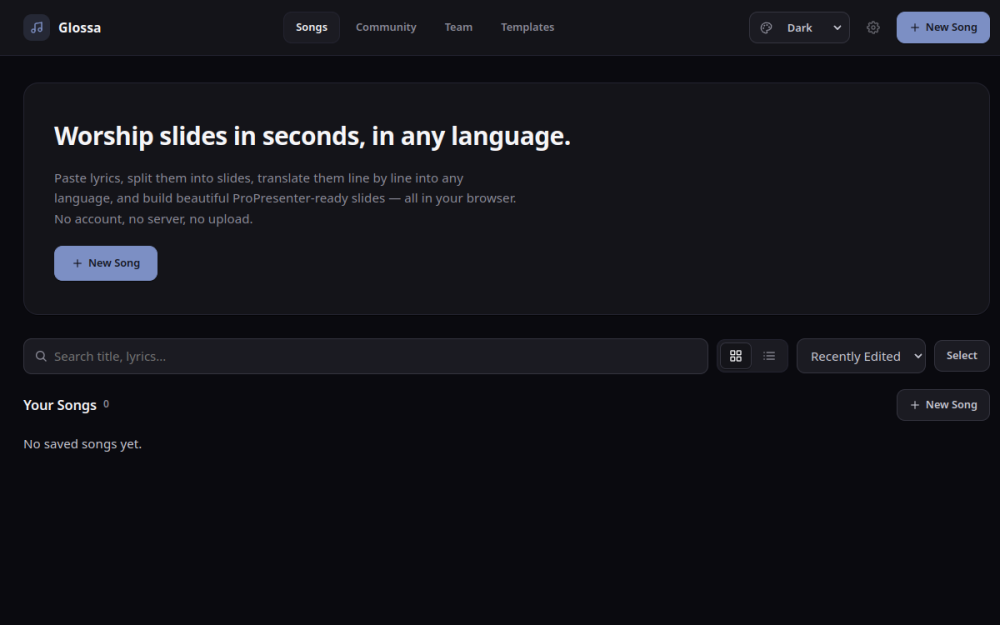
Worship slides in seconds, in any language. (Named for glossa — tongue, language.)
A browser-based tool that turns pasted song lyrics into bilingual ProPresenter 6 (.pro6) slide decks: paste or upload lyrics, auto-split them into slides, auto-translate them line by line into the language of your choice, pick how the two languages sit together on the slide, and export a real .pro6 file. Everything runs client-side — no backend, no accounts, no server.
Features
Home / song list — a landing page with search, sort (recently edited / title), grid/list view, and multi-select bulk delete over your locally saved songs.
Import — paste lyrics or upload a plain
.txtfile.[Verse 1]/Chorus:style headers are detected and used to name and group the slides they precede.Auto-split — lyrics are chunked into slides using a configurable max lines per slide (blank lines are skipped, not turned into empty slides); adjustable live from the editor without leaving the page.
Slide editing — reorder (drag & drop), merge, split, and delete slides; edit text directly.
Slide layouts — presets for how the original and the translation share a slide: translation stacked under the original, side by side, woven line-by-line (Alternating) or in pairs (Two + Two), or either language on its own.
Auto-layout — text boxes are sized to their own content and centered automatically; no manual positioning. When a slide's text would overflow the 1920×1080 canvas, the type is scaled down to fit (your chosen point size is kept as the maximum, so it springs back when the slide gets shorter).
Style panel — a tabbed Layout / Type / Colors / Quality panel. Type and Colors are global settings that apply to the whole song, and by default style the original and the translation together; a checkbox splits them so each language can be styled separately.
Translation — pick a target language and auto-translate via the free MyMemory API. Translation is per line, and every line is cached and saved with the song, so re-splitting the lyrics regroups the existing translations instead of re-hitting the API. Any slide's translation can be edited by hand, and manual edits are protected from being overwritten by a later bulk re-translate.
Export — download a real ProPresenter 6
.pro6XML file (RTF-encoded text, correct slide/group structure, transparent text-box fill by default — verified against a real ProPresenter 6 file).Local persistence — songs autosave to the browser's IndexedDB, plus a manual Save button. No account or server required.
Light/dark theme — follows the OS/browser's
prefers-color-scheme, with a manual override in the header.
See docs/design-reference/ for the mockups the current visual design is based on.
How to use it
Start a song. From the home page, hit + New Song. Give it a title (and an artist, if you like).
Paste your lyrics. Drop the whole song in, or upload a
.txtfile. If you write section headers —[Verse 1],Chorus:— they're picked up and used to name and group the slides beneath them. Blank lines are treated as separators, not as empty slides.Set how many lines go on a slide. In STYLE → Layout, drag Max Lines Per Slide. This re-splits the song live, so try a couple of values and watch the preview. Two is a good starting point for congregational singing.
Add a language. Still in the Layout tab, pick a Source Language (what the lyrics are in) and a target language, then Translate All Slides. Each line is translated and cached individually, so going back and changing lines-per-slide afterwards costs you nothing — the existing translations are just regrouped onto the new slides.
Fix anything the machine got wrong. Select a slide and edit its translation directly. Hand edits are marked and won't be clobbered if you hit Translate All again later.
Choose a layout. Back at the top of the Layout tab, pick how the two languages share a slide — translation under the original, side by side, woven line-by-line (Alternating) or in pairs (Two + Two), or one language on its own.
Style it. Type sets font, size, weight and line height; Colors sets text and background. Both apply to the whole song, and to both languages at once — tick Style main & translation separately if you want the translation to look different from the original. Boxes size and center themselves, and text shrinks automatically if a slide gets too full, so there's nothing to position by hand.
Export. Hit Export for a real
.pro6file, then open or import it in ProPresenter 6.
Your songs autosave to this browser. They aren't uploaded anywhere — which also means they're tied to this browser on this machine, so export anything you care about keeping.
Known limitations
Lyrics in, not
.pro6in. Import means plain lyrics text; the app can't read existing ProPresenter files.Two languages. A slide has an original and one translation. A third language isn't in the data model.
No verse/chorus detection. Splitting is by a fixed line count. Section names come from headers you write yourself, not from analysis of the song.
Machine translation. Translations come from the free MyMemory API and are worth a read-through before a service — hence the per-slide override.
Placeholders. The Quality tab, the Community/Team nav items, the Publish badge and the Settings button are styled but inert; there's nothing behind them yet.
Bulk placement (
src/features/quick-edit/) and the manual padding/box-height controls are built and unit-tested but deliberately unwired from the UI while auto-layout settles. Same for the structural golden-file.pro6comparison insrc/test/helpers/comparePro6.ts.